AR · Geospatial · Cultural Heritage · Unity/Studio prototype · 2026
City Layer: a geospatial AR prototype for historic streets
A self-initiated prototype that anchors reconstructed facades, period photographs and narrated stops along a route in a historic Italian city centre.
- Client
- Self-initiated studio R&D
- Role
- Concept, Interaction design, Unity development, Content pipeline
- Year
- 2026
- Status
- Studio prototype
At a glance
- Problem
- Historic streets are full of buildings and scenes that no longer exist, and GPS-only AR places them metres from where they belong.
- Context
- A self-initiated studio prototype built and tested along a short route in a historic city centre in Italy.
- Concept
- A single layer over the city: reconstructed facades, aligned period photographs and narrated stops that appear exactly where they belong.
- Experience
- Visitors walk, raise the phone and look; a compass-like guide points to content, which fades honestly when the device is uncertain.
- Technology
- Unity, AR Foundation and the ARCore Geospatial API with geospatial, terrain and rooftop anchors, content in Firebase and assets from photogrammetry and Blender.
- Role
- Concept, interaction design, Unity development and the content pipeline, all in-house.
- Outcome
- Demonstrated convincing facade alignment at stops with good sky visibility and showed that content authoring, not tracking, takes most of the effort.
Technology stack
Related services
Overview
City Layer is a self-initiated prototype built to answer a practical question: can a phone place reconstructed facades and archival photographs accurately enough on a real historic street that a visitor trusts what they see? We built a short route of five stops in a historic city centre in Italy, anchored content with the ARCore Geospatial API and tested it on site over several weeks. It is the reference project for our geospatial AR service.
Challenge
Historic streets are full of things that are no longer there: a demolished portico, a church front before a nineteenth-century restoration, the shopfront in a photograph from the 1950s. Printed panels cannot show them in place, and GPS-only AR floats content metres from where it belongs. The challenge was to anchor content to within roughly a metre over a route of several hundred metres, keep it believable while the device is uncertain, and do it with no physical markers and no installed hardware in a protected urban space.
Research
We began with a site survey rather than a design. We walked the candidate route at different hours with a test build that logged horizontal, vertical and heading accuracy from the Geospatial API every second. We also noted sky visibility, the position of the sun relative to each facade and where people naturally stop. The survey led us to drop two candidate stops in narrow lanes where localisation rarely converged, and to prefer stops where the device could see a wide stretch of facade. We read archival photographs and cadastral maps to decide which layers were worth reconstructing. Our note on how geospatial AR works came out of this phase.
Concept
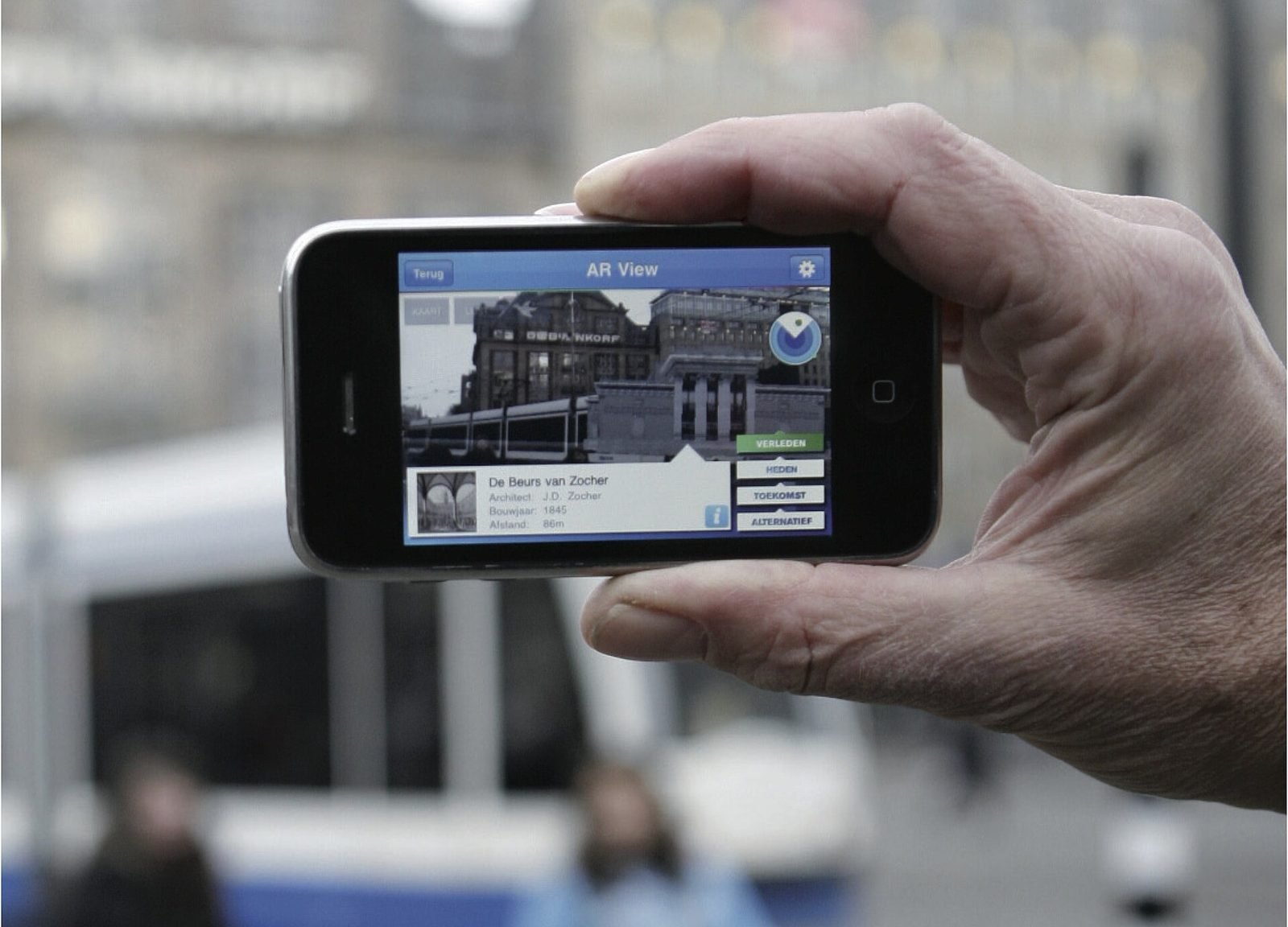
The concept is a single layer over the city rather than a sequence of screens. The visitor opens the app at any stop, holds up the phone and sees the street as it is, with one additional layer: a reconstructed facade at full scale, a period photograph aligned to the building it depicts, or a short narrated stop that plays when the device is pointed at the right place. The route connects the stops with on-street directions. Nothing requires reading a map or searching a menu.
Design
Design work focused on three problems: finding, looking and trusting. For finding, a minimal route view shows the next stop and its distance. For looking, a compass-like "look here" guide rotates at the edge of the screen until the content is in view, then fades out. For trusting, every anchored object has a confidence-aware state: solid when the Geospatial API reports good accuracy, translucent when accuracy degrades, and replaced by a flat card with the same photograph and narration when localisation is lost. Visitors should never see content snapping or sliding across a facade. Period photographs are shown with a visible frame and a date so they read as documents, not as reconstructions. Our AR design guide expands on these choices.
Technology
The application is built in Unity with AR Foundation, using the ARCore Geospatial API for localisation. Each stop uses the anchor type that suits its content: geospatial anchors for facades with a known altitude, terrain anchors for street-level markers whose altitude should follow the ground, and rooftop anchors for a reconstructed cornice line. Content metadata lives in Firebase so that stops, coordinates and narration can be edited without a new build. Reconstructed elements were modelled in Blender from archival drawings, and the existing facades were captured with photogrammetry to check alignment. Route and stop positions were prepared as GIS data and exported to the app's data format.
Interaction
Interaction is deliberately small. The visitor walks, stops, raises the phone and looks. Tapping an anchored photograph toggles between the historic image and the live camera view. Tapping a facade reconstruction cycles through periods when more than one exists. Audio stops are triggered by looking, not by tapping, and pause when the device is lowered. There are no gestures to learn and no on-screen joysticks.
Implementation
We wrote a small C# layer over AR Foundation that owns anchor lifecycle, accuracy thresholds and content state. Thresholds were tuned from the survey logs: content becomes solid below about one metre of horizontal error and five degrees of heading error, translucent above that, and hidden above a second threshold. All content is cached on first launch so the route works offline; Firebase is only contacted when a network is available. Sun glare was handled partly in the renderer and partly by design: we rotated two stops so visitors face away from the afternoon sun. Battery drain and thermal throttling were measured per stop, which led us to pause the AR session during walking segments.
Result
The prototype demonstrated that a reconstructed facade can be held on a real building accurately enough to be convincing at stops with good sky visibility and visual coverage, and that confidence-aware fading keeps the experience credible when accuracy drops. It also showed that content authoring, not tracking, is where most of the effort goes: aligning a photograph to a facade correctly takes longer than placing the anchor. What remains open is behaviour in narrow lanes, at night and in rain, and a proper evaluation with visitors who did not build the app.
Lessons
Accuracy is a distribution, not a number; design for the bad tail. Sky visibility predicts localisation quality better than any other single factor we recorded. Sun glare is a design constraint as much as a rendering one. Battery drain limits a continuous AR session to well under an hour on current phones, so the experience must have breaks built in. Authoring tools matter: the moment we could move a stop from a browser instead of a build, iteration became daily rather than weekly. If you are considering a place-based experience for a heritage site, we are happy to talk through what is realistic.
Further reading
How does geospatial AR work?
Geospatial AR fuses GPS, motion sensors and visual positioning against a map of real streets to place content at exact coordinates. Each step explained.
How museums can use AR and XR: a practical guide for cultural heritage
How museums and heritage sites use AR, VR and mixed reality: use cases, phones versus loan devices, curatorial constraints, content pipelines and pilots.
How to design an AR experience
A practical process for designing AR: define the job of the AR layer, choose anchoring, guide attention, handle uncertainty and test in real conditions.